Change DOL GUI Language
The first time you log into the DOL Tool, it will be shown in the GUI Language used for your Browser.
However, You may select your preferred GUI language to a different language at any time via the grey menu-dropdown in the upper right screen corner (see screenshot below)
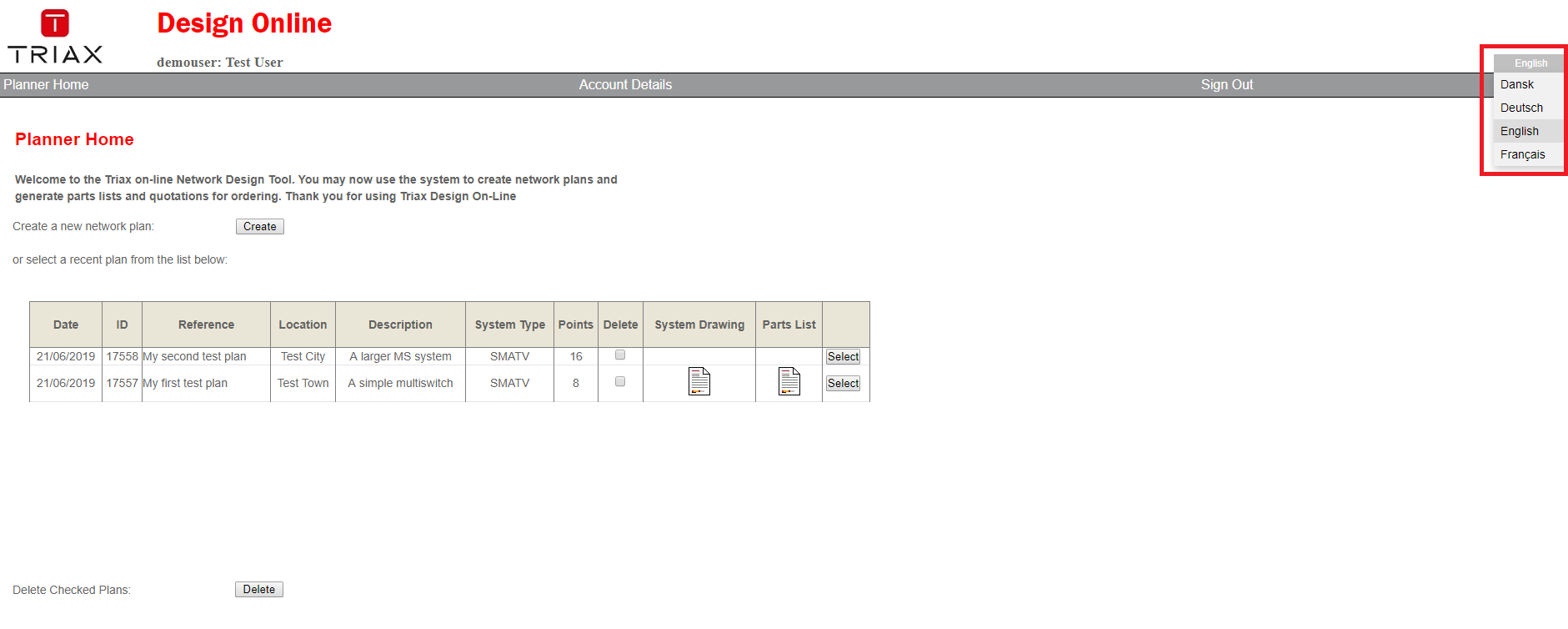 You may select between: English, German, French and Danish Graphic User Interface (GUI) Languages.
NOTE: This only changes the GUI language of the DOL Tool. The Product Portfolio is not changed.
You may select between: English, German, French and Danish Graphic User Interface (GUI) Languages.
NOTE: This only changes the GUI language of the DOL Tool. The Product Portfolio is not changed.