Change/Edit your profile
You may change any of your User profile details at any time (Your original login Username cannot be changed).
For changing your password, click here.
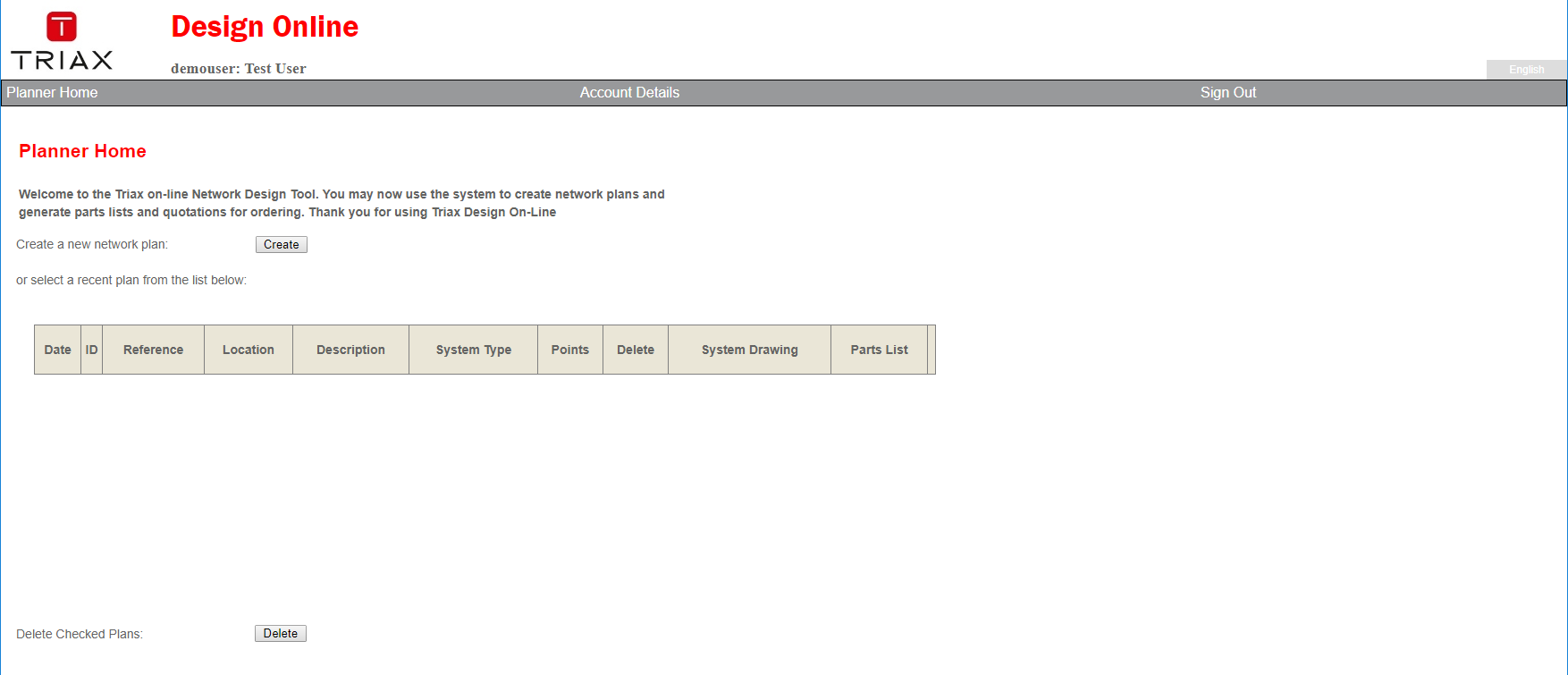
To change your User profile details, first click the appropriate link 'Account Details' in the middle of the grey Menu-line on your 'Planner Home Page' (See screen-shot below).
 This brings you to the Update Account Details Page (see below)
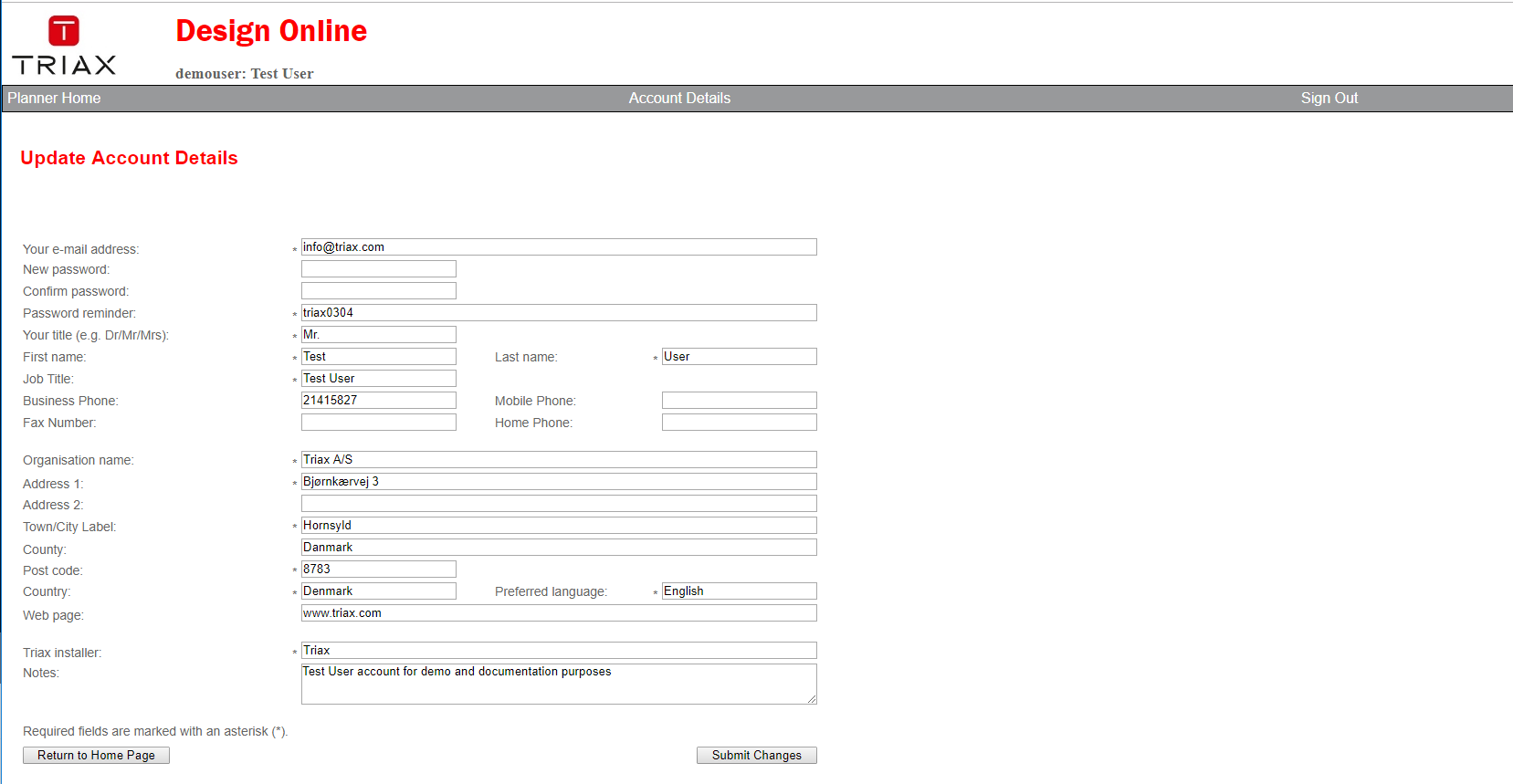
To change any of the fields that constitutes your profile, simply type in new information to replace the existing information,
and conclude the process by clicking the 'Submit Changes' button
NOTE Fields marked with an asterix '*' must not be left blank.
If you change your mind, and before you click the 'Submit Changes' button,
simply click the 'Return to Home Page' button to return without doing any changes.
Below a description of all the fields of the Update Account Details page ( * indicate a mandatory field).
| Field / button name | Description |
|---|---|
| Your e-mail address * | Enter your personal company email address here. Whether you use a personal email address here, or a Company E-mail Address is up to you. This is the e-mail address TRIAX will use to send you important News and Information about TRIAX DOL |
| New password: | Enter Your new password into this field. Passwords are case sensitive! What you type is shown as asterixes ( * ) |
| Confirm password: | Enter Your new password again into this field. Type it EXACTLY as you did in above field. Passwords are case sensitive! What you type is shown as asterixes ( * ). If you do not change anything in the password fields they will always be shown blank for security reasons. Your password is still kept intact |
| Password reminder: | This is a free text field where you may write a sentence that might help you remember your password should you forget it later. Only you can see this, so you may also simply write your new password here just as Triax did when you received your first password. |
| Your Title (e.g. Dr/Mr/Mrs) * | Enter your salutation Title here |
| First Name * | Enter your given birth name (First Name). If you have any Middle names, please also input them here delimited by spaces. |
| Last Name * | Enter your family name here, also called your Last name |
| Job Title * | Enter your Job Title here |
| Business Phone | Enter Your Business Phone number here |
| Mobile Phone | Enter you mobile number here (may be the same as the above) |
| Fax Number | Should you have any, please enter your fax phone number here |
| Home Phone | Not mandatory: Your Home phone number here |
| Organisation Name * | Enter the official name of the Company you work for here |
| Address 1 * | First Address line of your postal address here |
| Address 2 | If above address line is not enough for your full postal address, continue in this field |
| Town/City label * | Enter the name of your city / Town / Village here |
| Country | Deprecated: Country name here |
| Post code * | Enter the official postal code for your above postal address here |
| Country * | Enter the name of your Country here (no abbreviations please) |
| Preferred language * | Must be English for now. However, GUI language can be changed between English, German, French and Danish via a GUI dropdown selection on the Design Plan Page |
| Web page | The fully qualified web page address of your Company, if any, here |
| Triax installer * | Please enter the name of the TRIAX installer you buy your TRIAX products from here |
| Notes | Enter any text you want here, for expanding any text or information you did not find space or field for above. |
| Submit Changes | Click this button when you are done typing into the fields described above. Your changes are saved, and you'll return to the Planner Home Page. Your new password is active immediately and you need to use it when logging into DOL the next time. DOL does not keep a record of old passwords. |
| Return To Home Page | Click this button if you change your mind, and does not want to change any of the information you may already have entered into any of the fields of this page. Your input is discarded, and you are returned to your Planner Home Page |