Change your password
You may change your password at any time after first creation. You may wish to do this:
- if you do not want to keep the original password assigned by TRIAX at registration time.
- if you have given someone else access to your TRIAX DOL account, and want to block him/her out again.
- if someone else has gotten your password and has logged in without your consent.
NOTE: It is not recommended to give someone else (a college, etc.) your TRIAX DOL credentials to allow them to Log into DOL on your behalf.
This is of course totally up to you, TRIAX cannot prevent you from doing it. But you always do that on your own responsibility !
TRIAX cannot get back Design Plans that gets accidentially deleted by an unskilled college, so the recommended action is
ALWAYS to let the colleuge apply / register for his/her own TRIAX DOL account.
This also has the benefit, that it allows you and your colleuge(s) to exchange Design Plans amongst your accounts, if needed.
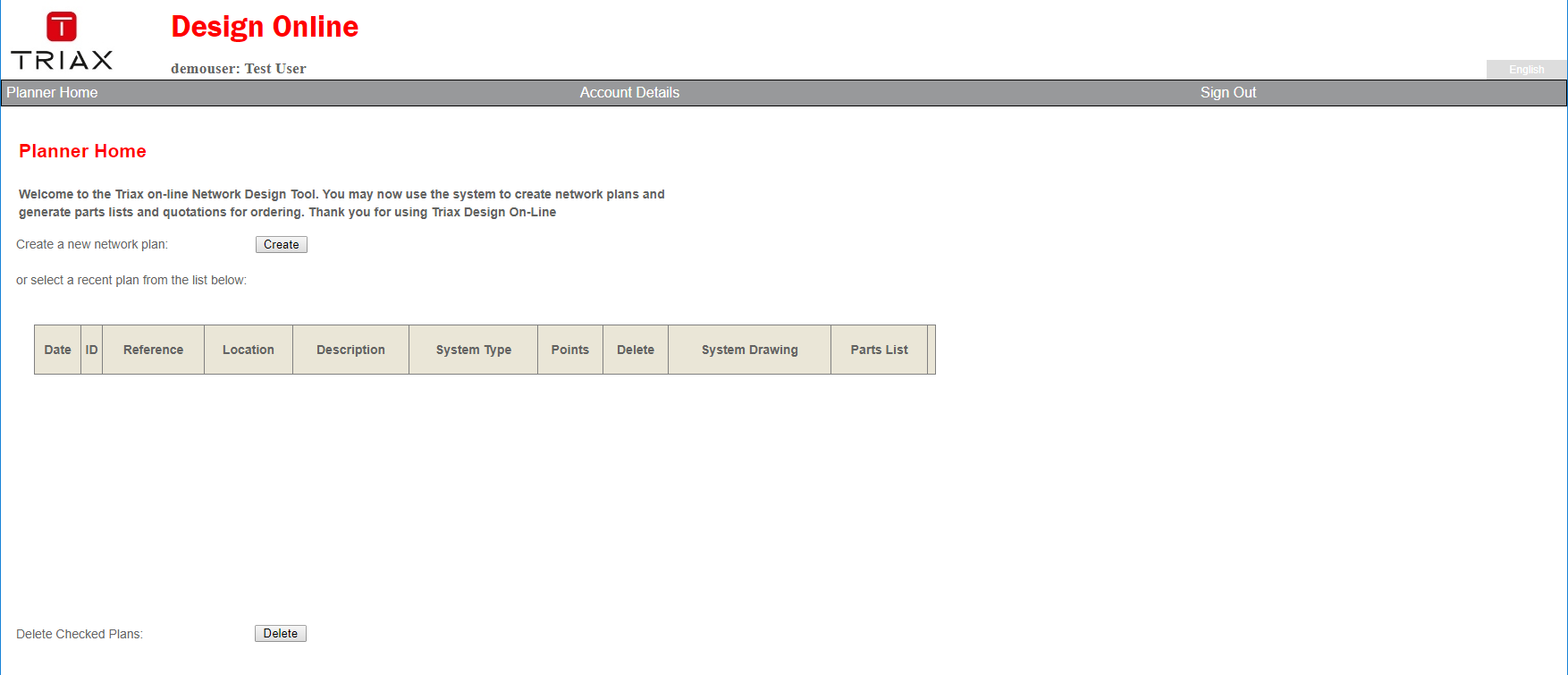
To change your password, first click the appropriate link 'Account Details' in the middle of the grey Menu-line on your 'Planner Home Page' (See screen-shot below).
 This brings you to the Update Account Details Page (see below)
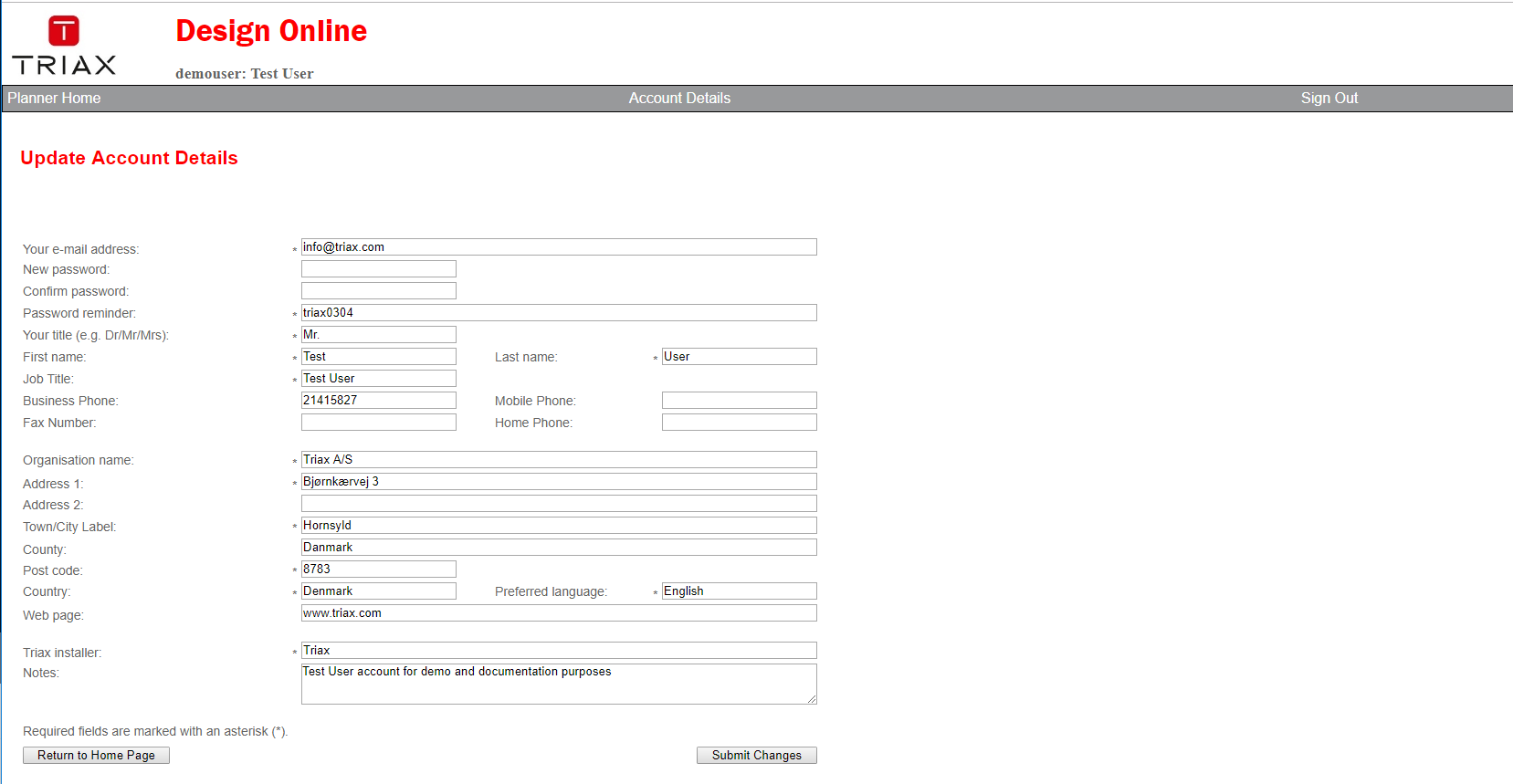
To change your password, you need to fill out the 3 fields described below, and conclude the process by clicking the 'Submit Changes' button
| Field / button name | Description |
|---|---|
| New password: | Enter Your new password into this field. Passwords are case sensitive! What you type is shown as asterixes ( * ) |
| Confirm password: | Enter Your new password again into this field. Type it EXACTLY as you did in above field. Passwords are case sensitive! What you type is shown as asterixes ( * ) |
| Password reminder: | This is a free text field where you may write a sentence that might help you remember your password should you forget it later. Only you can see this, so you may also simply write your new password here just as Triax did when you received your first password. |
| Submit Changes | Click this button when you are done typing into the fields described above. Your changes are saved, and you'll return to the Planner Home Page Your new password is active immediately and you need to use it when logging into DOL the next time. DOL does not keep a record of old passwords. |
NOTE: If you attempt to login 4 times with the wrong password, your TRIAX DOL account is blocked for further Log-ins.
Please write an email to designonline@triax.com stating your DOL User Name to have it activated again.
TRIAX will assign a new password, and send it to you, but ONLY if your e-mail matches the one your are registered with in DOL !